2 quick things to know about
Accessing Your Digital Content
1.
On the next page, select “Make a copy.”
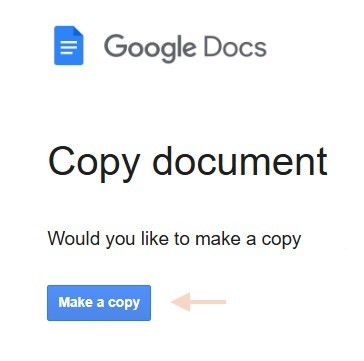
You may be asked to sign in to your Google account first.
Don’t have a Google account?
Please go back and choose the printable version.
Tip: Consider creating a Connections Coaching folder in Google Drive to keep your resources organized.
2.
This content is for your personal use only.
You’re welcome to add your own thoughts and notes.
To share this content, please direct others to connectionscoaching.org.
Select “I Agree” to continue to your content.